Global News Update
Sophia Grant
Global headlines, special reports, in-depth interviews, and international perspective.
Add JANICA to your home screen for a fast, full screen, premium experience — live news, anchors, and your 24 hour schedule, one tap away. No browser bar, no app store needed.
JANICA LIVE, our 24 hour global news channel, is preparing to broadcast. Subscribe on YouTube to be notified the moment we go on air.
Watch on YouTube Watch on YouTubeLive global news coverage 24 hours a day, seven days a week across all 13 desks.
Thirteen dedicated desks. Each one anchored by a specialist. Every hour of the day covered.
Global headlines, special reports, in-depth interviews, and international perspective.
Politics, governance, economy, culture, innovation, and African development across the continent.
Law, courts, justice, regulation, policy, and courtroom insights from around the world.
Artificial intelligence, cybersecurity, emerging technology, and the startups reshaping every industry.
Immigration, education, remittances, investment, entrepreneurship, and diaspora success stories worldwide.
The Asia-Pacific region — Australia, New Zealand, Southeast Asia, East Asia, and geopolitics.
Markets, economy, policy, financial analysis, business leadership, and global trade flows.
Weather updates, severe weather tracking, climate change reporting, and global forecasts.
European Union, United Kingdom, Eastern Europe, NATO, security, trade, and European affairs.
United States, Canada, Mexico — politics, economy, technology, culture, and innovation.
Gulf States, Iran, the Levant, energy, oil, security, conflict resolution, and diplomacy.
Latin America and the Caribbean — elections, politics, development, trade, economy, and culture.
Football, athletics, the Olympics, basketball, tennis, rugby, cricket, and global sports stories.
Meet the journalists who deliver JANICA MEDIA to the world around the clock, twenty four hours a day. Broadcast times are shown in your local time.

Global News Update


JANICA LIVE broadcasts continuously, twenty four hours a day. All times below are shown in your own local timezone.
| Time (Your Local) | Program | Anchor | Desk |
|---|
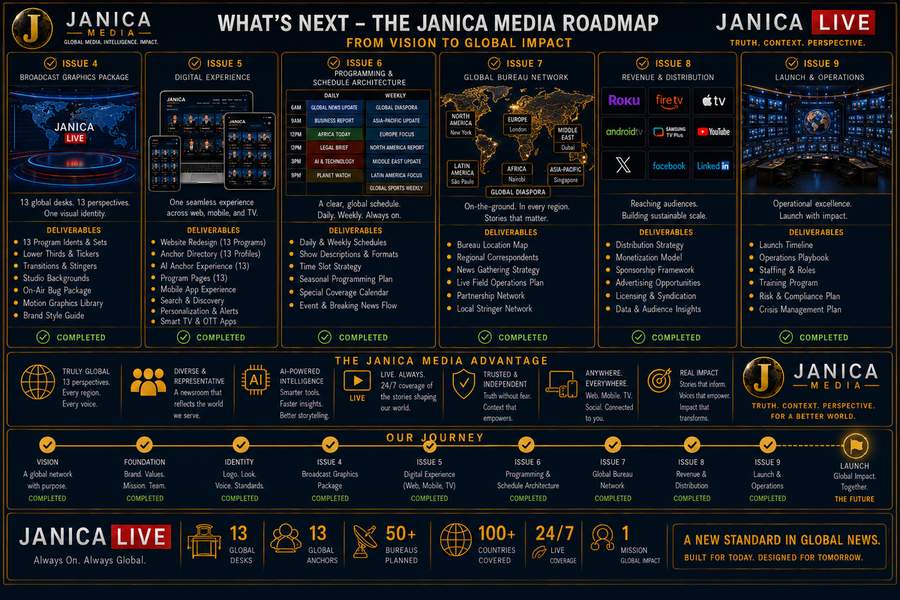
Program idents, lower thirds, ticker system, transitions, studio backgrounds.
Website, app, anchor directory, program pages, search, and mobile experience.
Daily and weekly schedule, show formats, special coverage calendar.
Bureaus, distribution, revenue model, operations, staffing, and launch plan.